 OnlyLoader
How to Find Deleted OnlyFans Content?

Content on subscription platforms can sometimes disappear without warning. Creators may remove older posts, delete specific videos or photos, change their subscription tiers, or even deactivate their accounts entirely. For subscribers on OnlyFans, this can be frustrating—especially if you previously had access to content that is no longer visible on the creator’s page.
Many users wonder whether it’s possible to find deleted OnlyFans content or recover posts that were previously available. While permanently removed content is usually difficult to retrieve directly from the platform, there are still several methods that might help you locate missing posts or prevent future loss.
In this guide, we’ll explore practical ways to find deleted OnlyFans content, and introduce a useful bonus method for backing up OnlyFans media to avoid losing access to content in the future.
1. How to Find Deleted OnlyFans Content?
If content from a creator has disappeared, there are a few methods you can try to locate it. While these approaches don’t guarantee success, they sometimes help recover links or traces of removed posts.
1.1 Check Cached Pages in Search Engines
Search engines like Google may save cached snapshots of webpages when they index them. These cached pages are temporary snapshots of a page taken when it was last indexed.
If a creator recently deleted a post, the cached version might still contain a preview or partial information.
Steps you can try:
- Search the creator’s OnlyFans profile or specific post URL.
- Click the three dots next to the search result.
- Select Cached to view the stored version of the page.
While cached pages may not include full videos or images, they sometimes show descriptions, thumbnails, or timestamps of deleted posts.
1.2 Use Web Archive Services
Web archive tools can sometimes store historical versions of webpages. One of the most well-known archiving services is Internet Archive.
Its tool, commonly known as the Wayback Machine, allows users to view older snapshots of webpages that were previously captured.
How this can help:
- In some cases, you may see older versions of the creator’s page
- Some deleted posts may appear in archived snapshots
- Post titles or previews might still be visible
However, there are limitations. Many subscription-based platforms restrict archiving access, meaning full media files are rarely preserved.
1.3 Check Creator’s Other Platforms
Creators who use OnlyFans often promote their content on other social platforms. If a post was removed from OnlyFans, the creator may still reference it elsewhere.
Common places to check include:
- Social media profiles
- Personal websites
- Promotional posts or previews
Sometimes creators repost or update older content on other platforms.
1.4 Look for Reuploaded Previews
Some OnlyFans posts include promotional previews shared publicly before the full content is published. Even if the original post disappears, preview clips or screenshots may still exist online.
These previews might appear in:
- Social media posts
- promotional pages
- creator announcements
Although they rarely include the full content, previews can at least confirm what was previously posted.
1.5 Check Messages or Purchase History
If you purchased specific content through pay-per-view messages on OnlyFans, there is a chance the message thread still exists.
Open your message history and check:
- Past conversations with the creator
- Paid message attachments
- older purchase links
In some cases, the media may still be accessible through these messages even if the public post was removed.
1.6 Contact the Creator
Another option is simply reaching out to the creator. If a post was deleted accidentally or temporarily removed, the creator might be willing to resend it or upload it again.
Creators often remove posts for reasons such as:
- content updates
- account restructuring
- tier changes
Sending a polite message may help clarify whether the content is available elsewhere.
2. Bonus: Back Up OnlyFans Media with OnlyLoader
Instead of trying to recover deleted posts later, a better approach is to back up content while you still have access to it. This helps ensure that you can keep media you have legitimately purchased or subscribed to. One tool designed for this purpose is OnlyLoader.
OnlyLoader is a bulk media downloader that allows users to save videos and photos from OnlyFans for offline viewing. It provides a convenient way to create personal backups of content before it gets removed or becomes unavailable.
Key Features of OnlyLoader:
- Download all videos and photos from the OnlyFans page.
- Scan and save media in original resolution.
- Support choosing photos based on resolutions and types.
- Download videos and photos in popular MP4, MP3, JPG and more formats.
- Built-in browser to visit the OnlyFans media that you have access to.
Steps to Back Up OnlyFans Media with OnlyLoader
- Begin by installing OnlyLoader on your PC or Mac and launching the software.
- Log in to your OnlyFans account through the built-in browser and navigate to the creator’s profile (an active subscription is required).
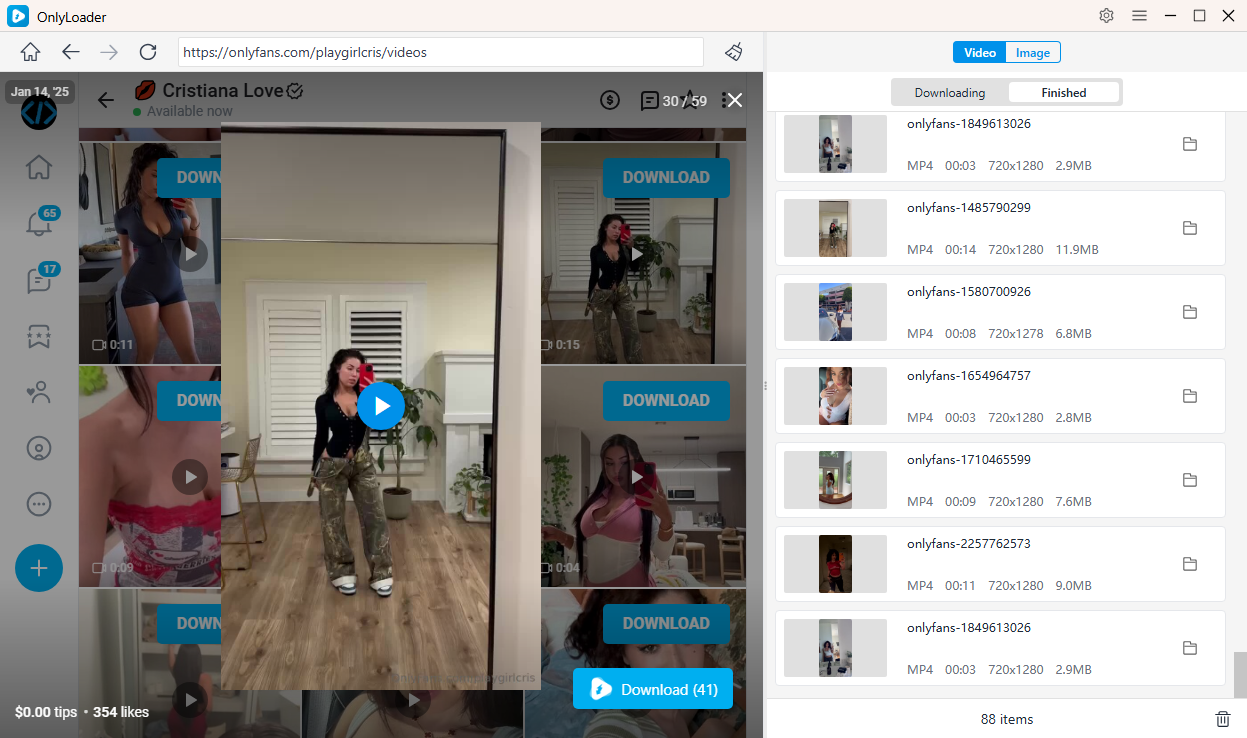
- Play the video you want, click Download to add it to the queue, and OnlyLoader will download all selected videos in batch automatically.
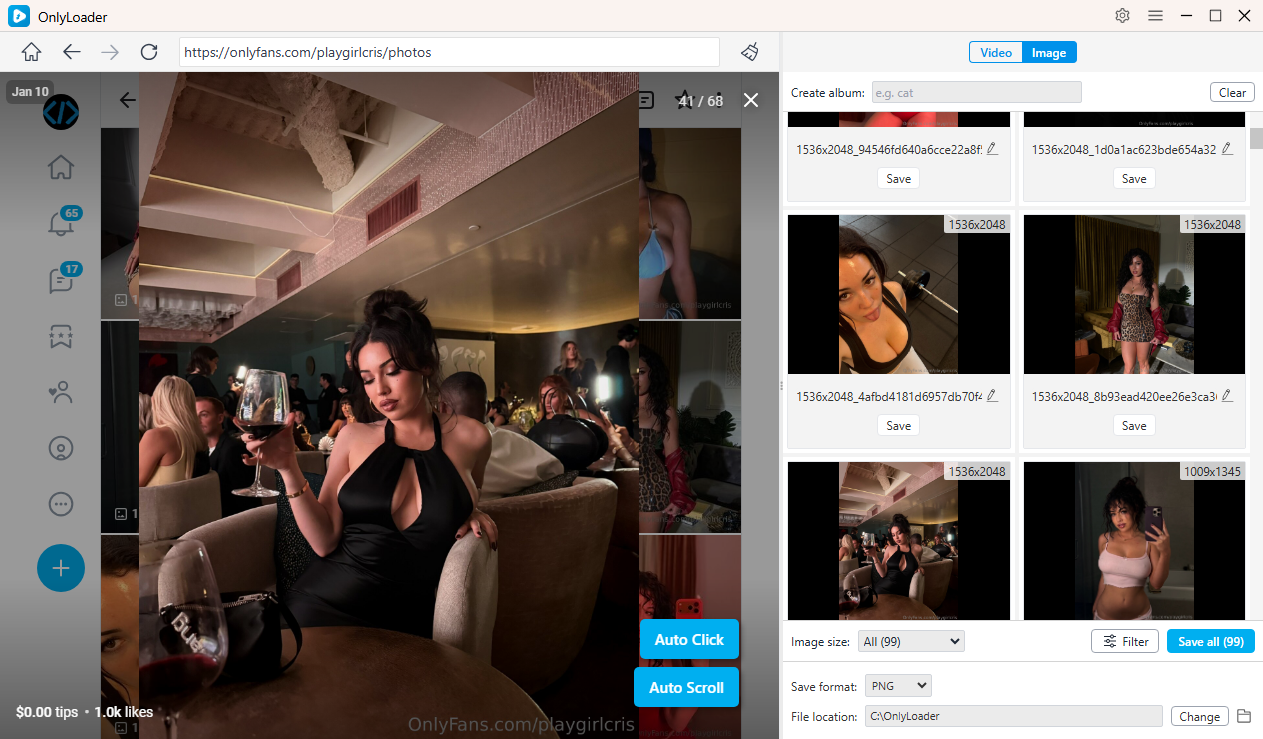
- To download OnlyFans photos, enable OnlyLoader’s auto-click feature to automatically open the profile images. After the photos are loaded, you can filter the ones you want and download them all at once with a single click.
3. Conclusion
Content on OnlyFans can sometimes disappear due to deleted posts, account changes, or creator decisions. While finding deleted OnlyFans content is not always possible, several methods may help locate traces of removed posts. These include checking cached pages, browsing archived versions of webpages, reviewing message history, and exploring the creator’s other platforms.
However, the most reliable solution is prevention—saving the media while it is still available. By backing up the content you have access to, you can avoid the frustration of losing posts that disappear later.
OnlyLoader provides a convenient way to create personal backups of OnlyFans videos and photos. With features like bulk downloading, automatic media detection, and organized file storage, it allows users to save their subscribed content efficiently.
If you want to ensure you never lose access to your favorite OnlyFans media again, OnlyLoader is one of the best tools available for backing up your content safely and conveniently.