 OnlyLoader
How to Download OnlyFans Videos on Android?

OnlyFans has become a widely used platform for creators to share exclusive videos, photos, and other premium content with their subscribers. While the platform is designed for online streaming and subscription-based access, many users prefer to watch content offline, archive their favorite videos, or back up content for personal use. For Android users, downloading OnlyFans videos may seem challenging because the platform does not provide a native download option.
In this guide, we’ll explain multiple ways to download OnlyFans videos on Android efficiently.
1. How to Download OnlyFans Videos on Android?
Downloading OnlyFans videos on Android requires either capturing the video manually or using third-party tools. Here are the most practical methods:
1.1 Screen Recording OnlyFans Videos on Android
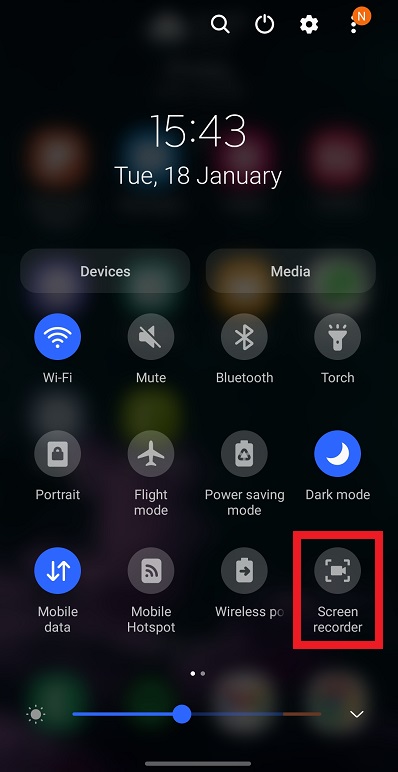
Screen recording is the simplest and safest way to capture OnlyFans videos on Android without using third-party download apps. Most modern Android devices have built-in screen recording capabilities.
Steps:
- Open the OnlyFans app or access the website in your Android browser, then navigate to the video you want to download.
- Open the built-in screen recorder (usually available in the quick settings menu) or install a trusted app like AZ Screen Recorder or Mobizen.
- Start the screen recorder and play the video in full-screen mode.
- Once the video ends, stop the recording.
Pros:
- Works with almost videos, including those that are protected from direct downloads.
- Easy to use with minimal setup.
Cons:
- Video quality may be slightly lower than the original.
- Recording long videos consumes storage space.
- Audio capture may require additional settings.
1.2 Download OnlyFans Videos on Android Using Online Downloaders
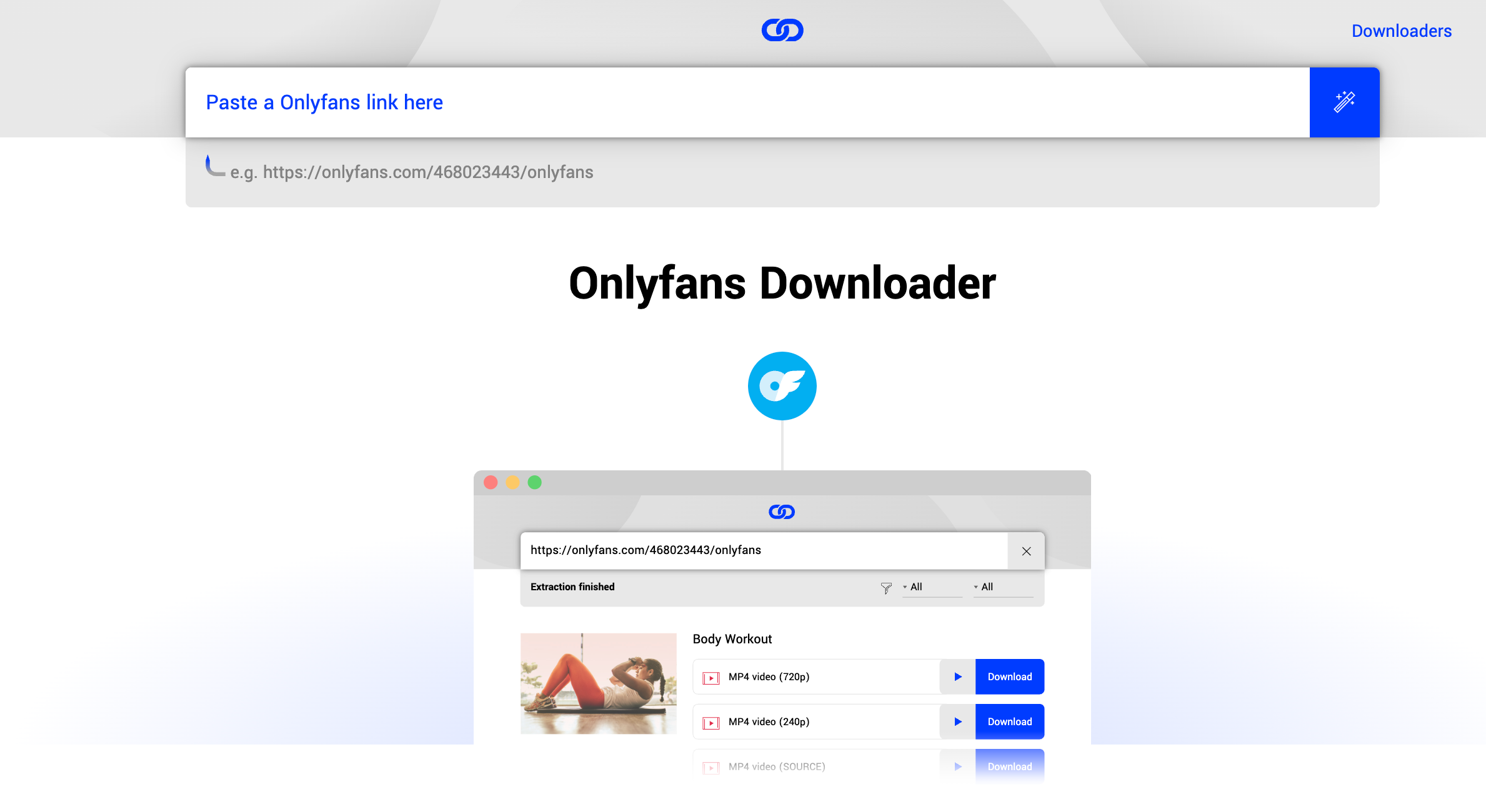
Online OnlyFans downloaders such as LocoLoader allow users to download videos directly from OnlyFans profiles using a browser. These platforms often work without installing any app, making them convenient for Android users.
Steps:
- Open your mobile browser and navigate to LocoLoader or a similar online OnlyFans downloader.
- Log in securely using your OnlyFans credentials (ensure it is a trusted site).
- Paste the URL of the OnlyFans video or the profile link you want to download.
- Choose the desired format and quality.
- Click Download, and the video will be saved to your Android device.
Pros:
- No app installation required.
- Can preserve video quality.
- Supports individual video downloads easily.
Cons:
- Only supports videos accessible via public or subscription links.
- Bulk downloading may not be available.
- Requires careful use to avoid phishing or malware on unverified sites.
1.3 Download OnlyFans Videos on Android Using Downloading Software
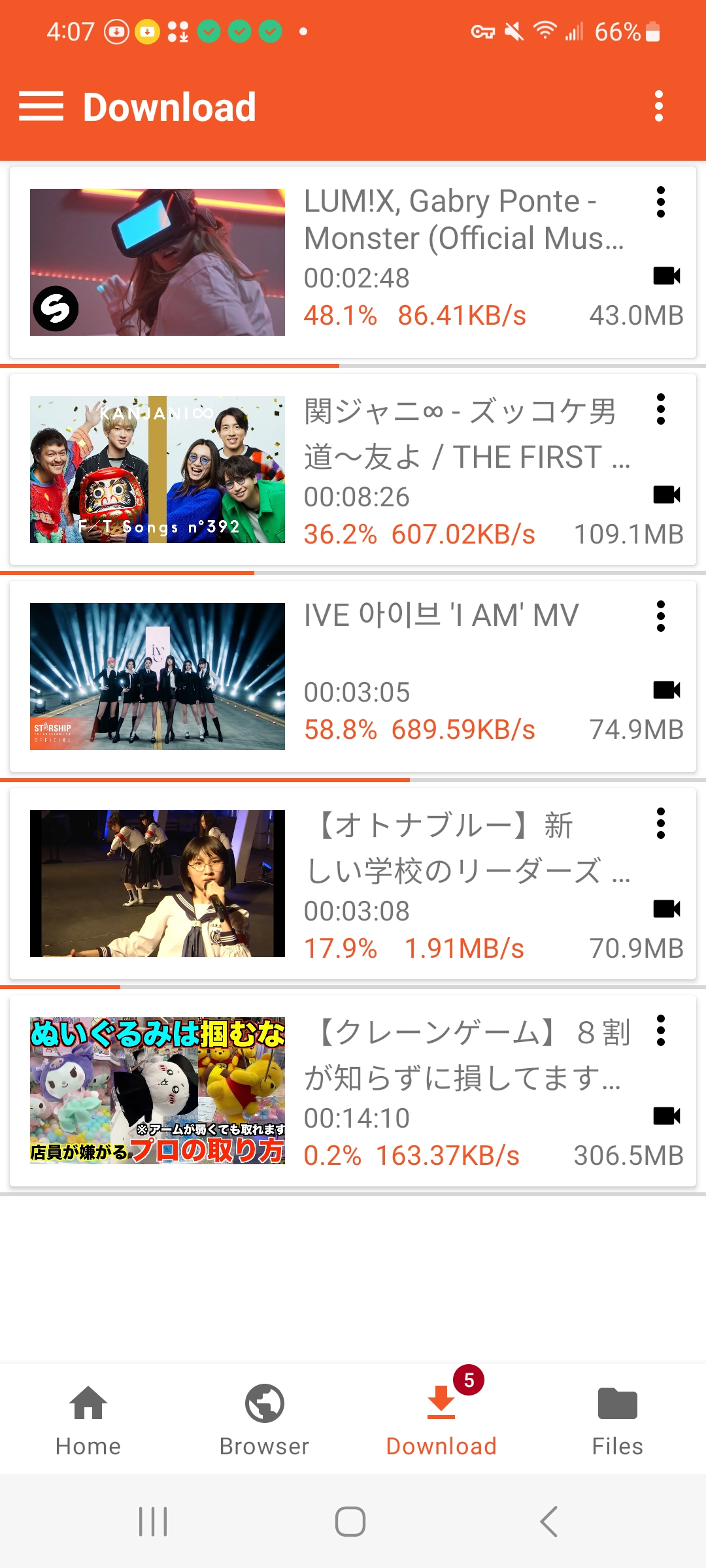
VidJuice UniTube is a professional video downloader that offers an Android-compatible version. It allows users to download content from multiple platforms, including OnlyFans, and store videos directly on their devices.
Steps:
- Download the VidJuice UniTube Android version from the official website or trusted app store.
- Open the app and log in to OnlyFans securely via the built-in browser.
- Navigate to the video or profile you want to download.
- Use UniTube’s download feature to select video quality and format.
- Begin the download and allow a moment for the video to finish saving from OnlyFans to your device.
Pros:
- Preserves original quality.
- Supports multiple downloads in a session.
- Offers an organized download management system.
Cons:
- Requires installation of a third-party app.
- Always verify the app is downloaded from a trusted source to ensure security.
2. Bonus: Get All Your OnlyFans Media on PC with OnlyLoader
While Android solutions are effective for individual downloads, PC users benefit from OnlyLoader, a professional OnlyFans downloader designed for bulk video and photo downloads. OnlyLoader provides advanced features for managing large content libraries efficiently.
Key Features of OnlyLoader:
- Bulk download multiple videos & photos from OnlyFans.
- Maintain the original resolution of videos and photos.
- Auto click page to extract original photos.
- Filter desired photos based on types and quality.
- Download and convert videos & photos in popular formats.
How to Use OnlyLoader on PC:
- Download and install OnlyLoader for Windows or Mac.
- Open the built-in browser in OnlyLoader and log in to your OnlyFans account, then navigate to the creator’s profile or the videos you wish to download.
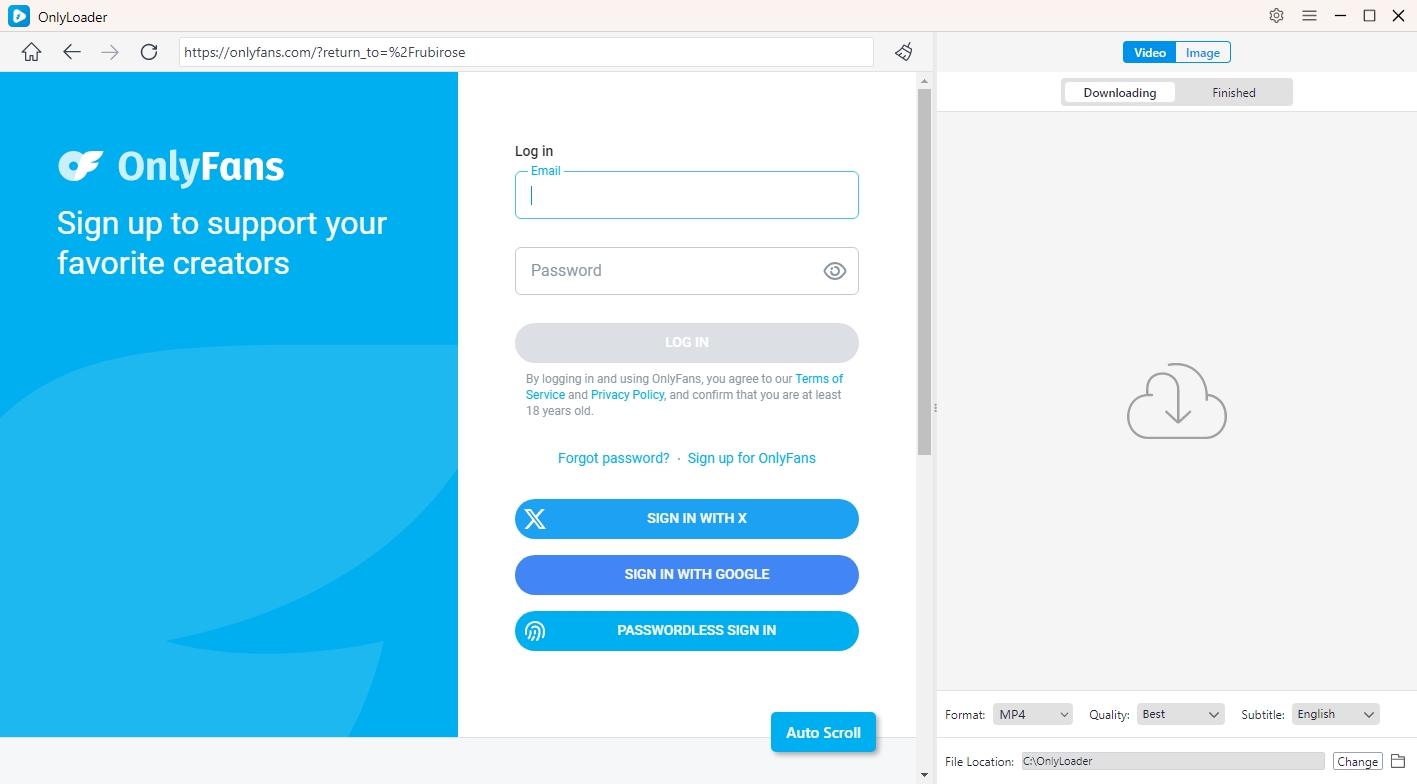
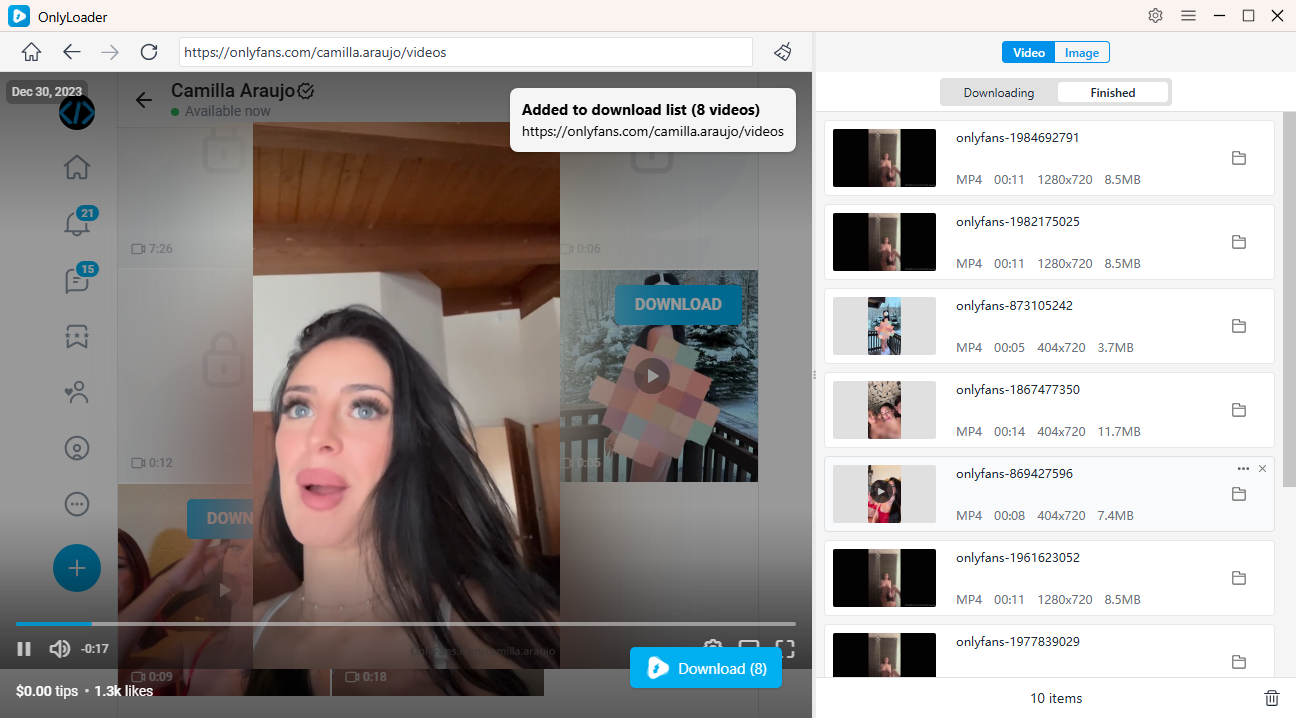
- For videos, go to the creator’s profile, open the Videos section, play a video, and click the download button. OnlyLoader will gather every video from the profile for bulk downloading.
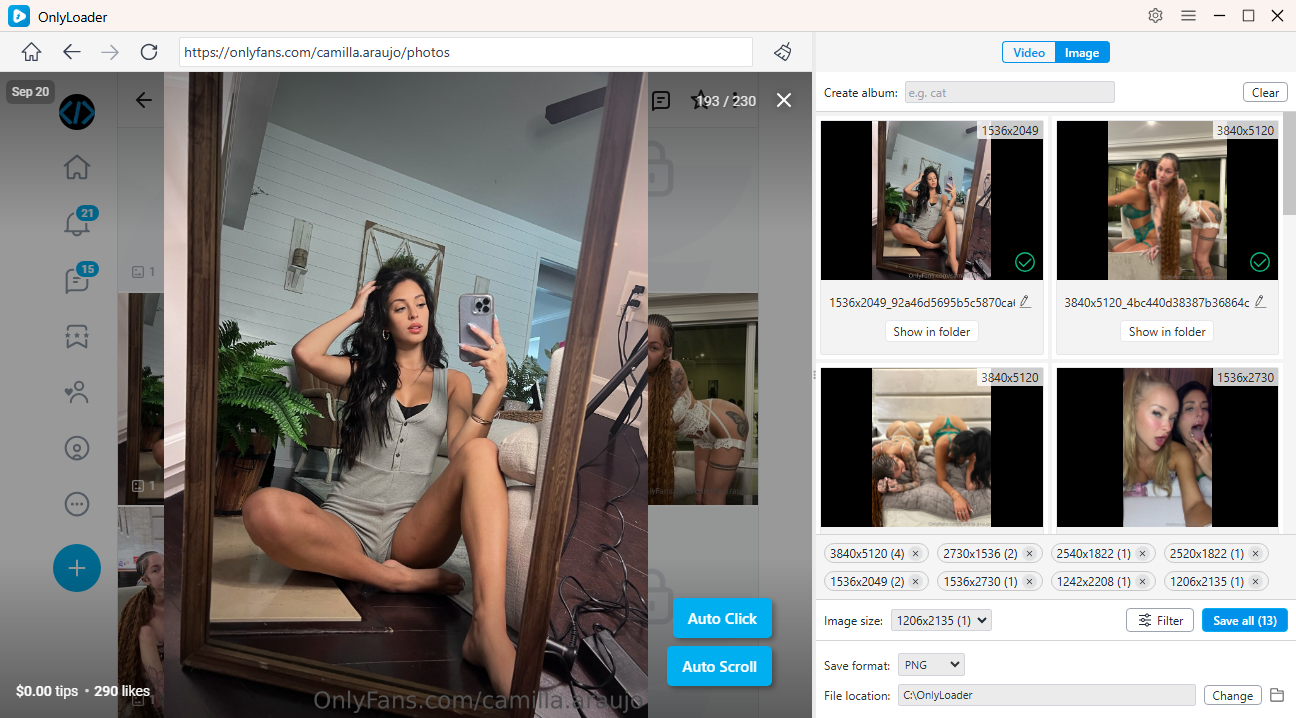
- For photos, switch to the Photos tab and allow OnlyLoader to auto-open each post to retrieve full-resolution images. After filtering, you can download them all at once.
3. Conclusion
Downloading OnlyFans videos on Android can be accomplished through multiple methods. Screen recording is the simplest and safest approach, while online downloaders like LocoLoader provide direct downloads through a mobile browser. VidJuice UniTube Android version offers a more professional solution for preserving quality and managing multiple downloads.
For users seeking bulk downloads or wanting to backup entire OnlyFans profiles, OnlyLoader on PC is the ultimate solution. It ensures high-quality downloads, organized media management, and a secure, reliable experience for saving videos and photos.
By combining these Android and PC tools, you can enjoy offline access to your favorite OnlyFans content while keeping your media safe, high-quality, and well-organized.