 OnlyLoader
What Does OnlyFans Show Up As on Bank Statement?

If you are considering subscribing to an OnlyFans creator, one common privacy question is: What does OnlyFans show up as on a bank statement? This matters particularly if you use a shared bank account, have a joint credit card, or simply want to keep your online purchases private.
The good news is that your bank statement generally does not reveal which creator you subscribed to or what content you purchased. However, the merchant descriptor can still identify the platform.
In this guide, we will explain what an OnlyFans charge can look like on your statement, discuss legitimate ways to improve payment privacy, and introduce a convenient way to back up OnlyFans content you have access to.

1. What Does OnlyFans Show Up As on a Bank Statement?
There is no single billing descriptor that appears for every OnlyFans transaction. The exact wording can vary according to your bank, card issuer, payment processor, and transaction route.
Common descriptions reported for OnlyFans payments include:
- ONLYFANS
- ONLYFANS.COM
- ONLYFANS.COM*A
- ONLYFANS.COM*B
- ONLYFANS.COM-G
- FENIX INTERNATIONAL LTD
- FENIX INTL
- *CCBill.com OnlyFans
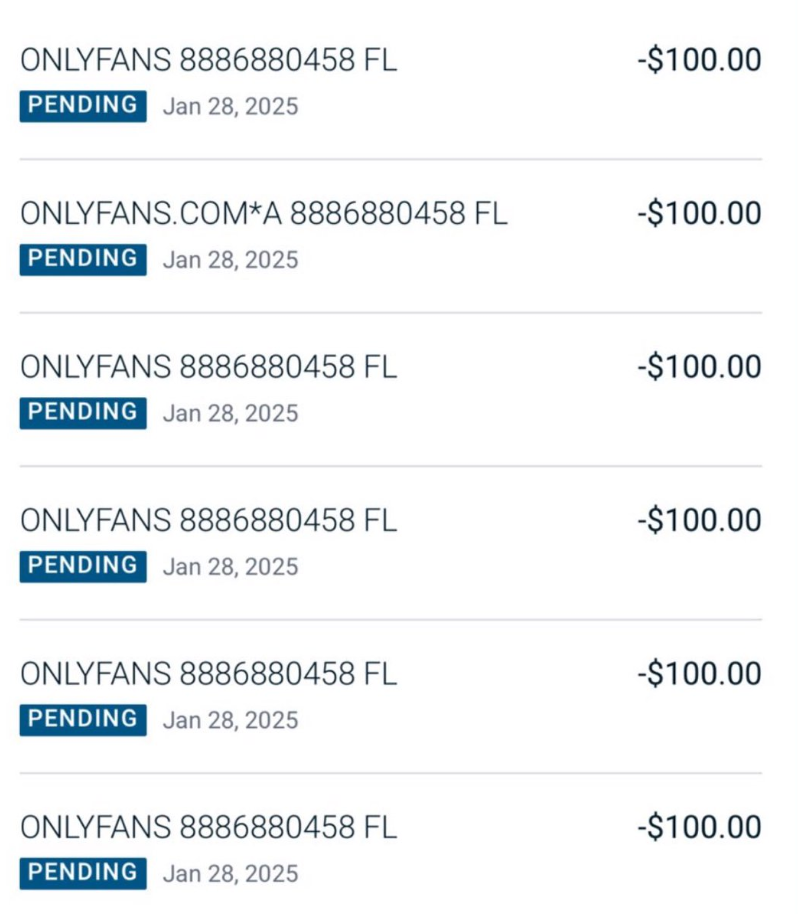
The most recognizable versions contain the OnlyFans name directly, while others may use Fenix International, the corporate entity associated with the platform. Transactions processed through a third-party processor can also have a different format.
The descriptor may also be accompanied by the transaction date, amount, location, or a reference number. Mobile banking applications can sometimes shorten or format the merchant name differently from a monthly paper statement.
2. Does the Statement Show Which Creator You Paid?
Generally, no. A bank statement records the merchant transaction rather than the specific OnlyFans creator or post involved. Whether you pay for a subscription, send a tip, or purchase pay-per-view content, the transaction is generally associated with the platform or its payment processor rather than the individual creator.
This means someone looking at your statement may be able to determine that an OnlyFans-related payment was made, but the statement itself normally will not tell them which creator received the payment or what content was purchased.
3. How to Hide OnlyFans on a Bank Statement?
If your goal is to keep an OnlyFans purchase private from someone who can legitimately view your financial records, there are several privacy considerations worth knowing.
3.1 Use a Separate Payment Method
One straightforward approach is to use a payment method that is separate from a shared checking account or household credit card. Depending on what payment methods are available to you and accepted by the platform, a personal card or other dedicated payment account can prevent the transaction from appearing on an account that someone else routinely monitors.
However, using a different payment method does not automatically remove the merchant name. For example, reports indicate that PayPal transactions can still contain an OnlyFans reference, so simply switching payment platforms should not be assumed to make the purchase anonymous.
3.2 Consider a Virtual Card
A virtual card can provide an additional layer of separation between a merchant and your primary bank account. Some virtual-card services offer privacy features that may display the virtual-card provider rather than the underlying merchant on your bank statement.
The exact result depends on the service and its settings, so check its current billing and merchant-descriptor policies before relying on it. For example, Privacy.com documents a Private Spend Mode that can replace the underlying merchant descriptor with a Privacy.com-related descriptor in supported situations.
3.3 Check the Statement Before Assuming It Is Hidden
Privacy features can differ between pending transactions, posted transactions, bank apps, and monthly statements. A transaction that initially appears abbreviated may display additional information after it settles.
Therefore, if statement privacy is important, check how your chosen payment method actually displays a small test transaction before relying on it for recurring purchases.
3.4 You Cannot Rename an Existing Bank Transaction
It is also important to understand what “hide” means in this context. You generally cannot log into your banking app and rename an existing OnlyFans transaction to make it appear as something else. The merchant descriptor is supplied through the payment-processing system and recorded by your financial institution.
If a transaction has already appeared on your statement, changing its description afterward is generally not an option. The practical approach is to consider your payment setup before making future purchases rather than attempting to modify historical records.
4. Bonus: One-Click Backup and Save OnlyFans Content with OnlyLoader
Payment privacy is only one consideration for OnlyFans users. If you have legitimately purchased or subscribed to content and want to keep a personal backup, downloading individual photos and videos manually can become tedious.
OnlyLoader is designed to simplify this process by letting users browse OnlyFans through its built-in browser and download multiple available images and videos in bulk. Its official website describes one-click bulk downloading, support for multiple video resolutions and formats, full-sized image downloads, filtering options, file renaming, and customizable storage locations.
Steps to Use OnlyLoader:
- Install and launch OnlyLoader on your Windows PC or Mac to get started.
- Open OnlyFans in the built-in browser, sign in to your account, and visit the profile of a creator you subscribe to.
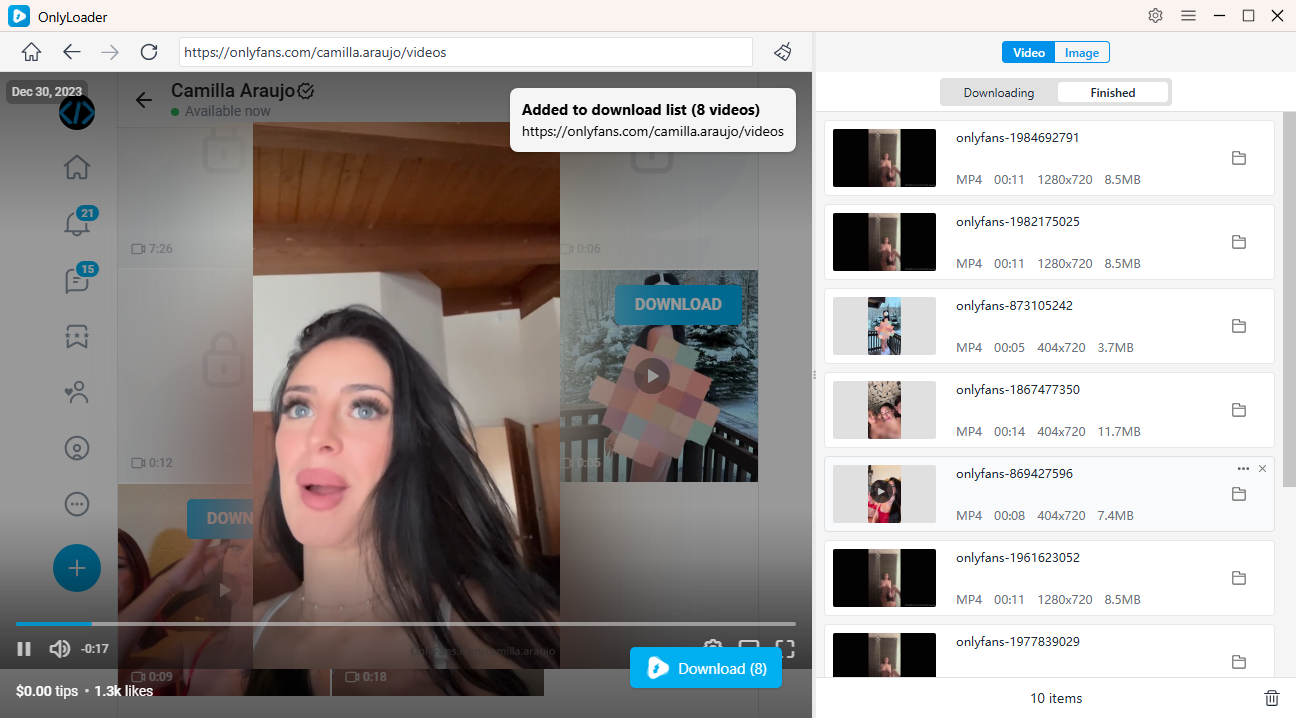
- Go to the Videos section and play the video you want to save. OnlyLoader automatically detects available videos, allowing you to select and download multiple files in one go.
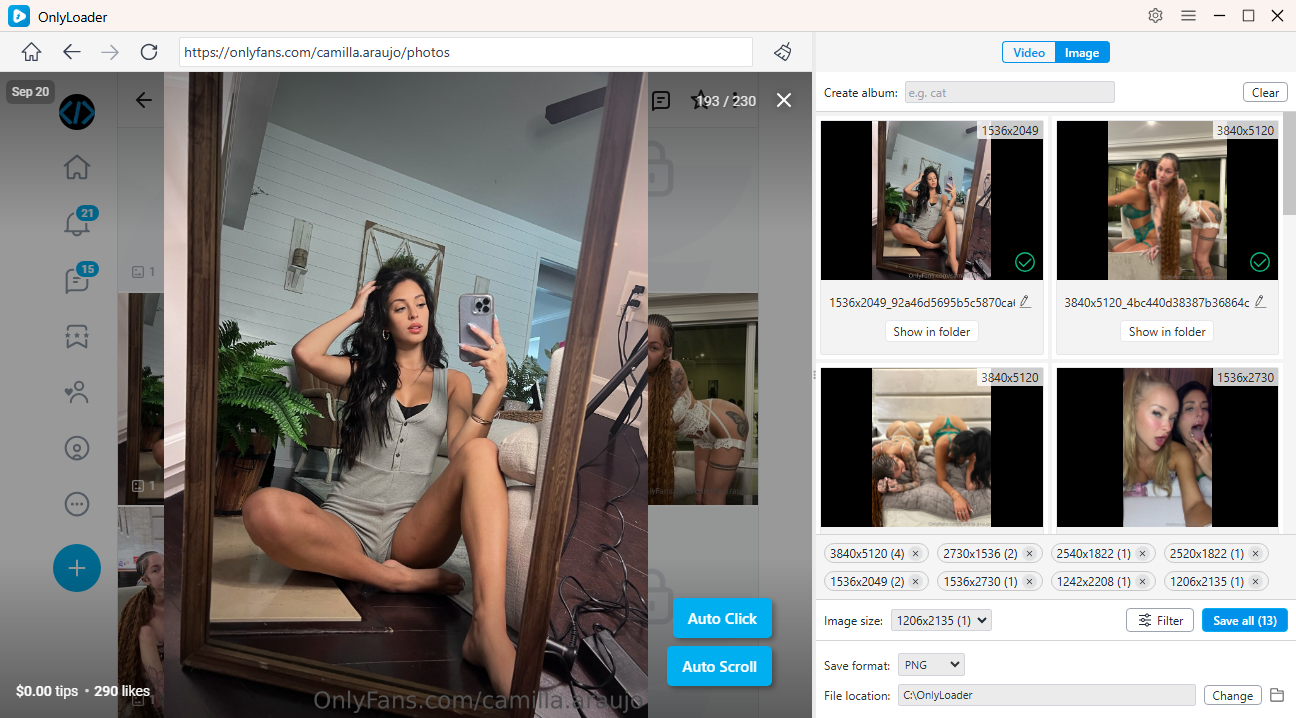
- For images, turn on Auto-Click to automatically scan the page and extract available photos. Choose the images you want and download them together with a single click.
5. Conclusion
OnlyFans transactions may appear as ONLYFANS, ONLYFANS.COM, Fenix International, or other payment-related descriptions, depending on your bank and payment method. While you cannot usually change an existing bank transaction, choosing a separate or privacy-focused payment method can help improve financial privacy.
For content you have legitimate access to, OnlyLoader provides a convenient way to create personal backups. With its built-in browser, automatic media detection, and bulk download support for images and videos, OnlyLoader makes it easier to save multiple files without downloading them one by one.